Training assignments are determined by your institution.
Contact your Training Administrator for assignment details.
Training assignments are determined by your institution.
Contact your Training Administrator for assignment details.
The most common causes are an incorrect password, an inactive account, or issues with the username.
Password Issues
Username Issues
You are receiving a reminder email because a Training Administrator at your institution opted into enabling them for the institution. You may receive one if you are enrolled in a course but haven’t finished it yet.
Complete the training or contact your Training Administrator if you believe the reminder was sent in error.
Your learning plan or course may have prerequisites, deadlines, or access restrictions.
Contact your Training Administrator for assistance.
If you’re unsure what training to take or why you were assigned training, please contact your Training Administrator.
If you’re dealing with a site or course functionality issue, please contact support by submitting a ticket or opening a chat request.
Your Training Administrator determines which training is required.
Check your assigned training or contact your Training Administrator if you are unsure.
Certificates are automatically emailed to you after you finish a course. There might be a slight delay, but please check your email’s spam or junk folders if you still haven’t received your certificate after 10 minutes. If you still can’t find it in your email, you can download your certificate from your My Activities page.
A branch code connects your account to your institution in our learning portal.
Contact your Training Administrator if you do not know your branch code.
Course progress may not save if the browser closes unexpectedly or if your internet connection drops/changes while you’re taking the course.
Your training may not have been assigned yet or the self-registration link was blocked by your email protections.
If you are trying to self-enroll in a course, you can do so from the course catalog access through the lefthand menu.
Otherwise, contact your Training Administrator to verify that you have been enrolled in the correct course or learning plan.
This is usually caused by browser or network issues.
You may already have an account.
Try using the Forgot Password option before creating a new account.
Your account may be inactive or you may be using the wrong login method.
Try resetting your password and contact your Training Administrator if the issue continues.
Check your spam or junk folder first.
You can edit your profile by clicking on the User Icon in the top-right corner of the screen.
You must be re-enrolled in the course before you can earn a new certificate.
Contact your Training Administrator for assistance.
You can register by using a special link provided to you by your Training Administrator or by clicking, New User on learn.ue.org. You will need a branch code to register.
You can download and print your certificate in two ways:
You can enroll yourself in a course through the course catalog which can be accessed through the left-hand menu.
You can find a full walkthrough here.
If you do not see the course, contact your Training Administrator.
The password must:
You can edit your name and email address, but not your username. Please note – your username will not be updated until the next time an administrator makes a change to your account.
If you need your username updated immediately, please reach out to support at 877-209-2236.
To edit your name or email address:
Once saved, notifications will be sent to the newly listed email address.
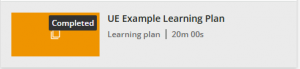
A learning plan is a way to group courses. Learning plans appear as an orange tile in the same area you’ll find your courses.